Receiving a finished photo or video does not, by itself, tell every team member where or for how long it can be used. The details depend on the relevant contract, licence and project agreement. This article is an information-management template, not legal advice or a substitute for reviewing the actual documents.
Questions often surface when a team reuses an asset: turning a video into a paid ad, using a campaign in another Southeast Asian market, or publishing it after an agreed period. If the answer lives in an old email thread or with one former project owner, work slows down and important gaps can be missed.
Start with one register row per asset component
A campaign folder is not enough. Music, people, stock images and original footage may each have different documentation. Create a separate row for each component and link it to the project and source file.
Use these fields as a starting point:
- Campaign / Project — campaign name or project code
- Asset ID / File — file name, storage location and version
- Asset type — photo, video, music, font, stock image, footage or identifiable person
- Rights owner / Source — licensor, creator, agency, platform or other source
- Documented use — uses confirmed by the available documents, such as channels, formats or edits
- Territory — market or territory stated in the documentation
- Start / End date — dates, if the agreement specifies them
- Restrictions — conditions or limitations that need checking
- Evidence — document name, file link and section reviewed
- Owner / Next check — responsible person, status and follow-up date
Record only what the evidence supports. If a detail is missing, mark it “needs confirmation” instead of guessing or writing “all uses.”
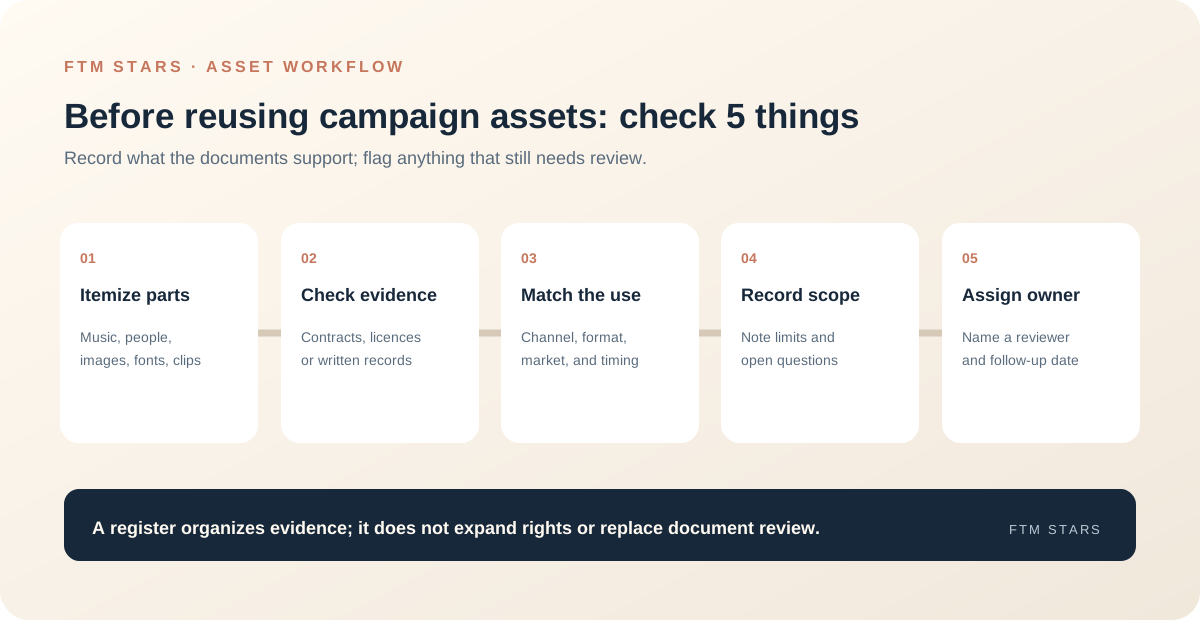
Check five things before publishing or reusing
1. Identify every component
Review the asset and note what it contains: a performer or expert, soundtrack, stock image, graphic, font, location or partner-provided material. Track each separately; documentation for one component does not automatically confirm another.
2. Tie each use to evidence
Find the relevant contract, licence, delivery document or written confirmation. Record which document and section the team checked. Do not infer the scope from memory or from the fact that a file sits in the brand’s folder.
3. Compare the intended use with the documentation
Before using an asset in a social post, paid ad, website, email or retail material, compare the intended channel, format, territory and timing with the register. If the documents are unclear or the new use differs from the documented one, route the question to the appropriate reviewer before proceeding.
4. Assign an owner and a reminder
Name the person responsible for checking each item and set a review date according to your team’s process, especially where an agreement specifies a period or renewal. Do not rely on the memory of the person who handled the original project. Record handover details when ownership changes.
5. Preserve change history
When a confirmation, renewal or scope change arrives, record the date, editor and latest evidence. Avoid overwriting prior information in a way that makes it impossible to tell which document informed an earlier decision.
Example of an asset that is not ready for a new use
- File — campaign-video-v3.mp4
- Components to check — soundtrack and featured person
- Intended channels — social post and paid media
- Territory / period — needs confirmation from documentation
- Evidence — delivery file is available; soundtrack documentation has not been located
- Status — hold the new use until the owner confirms
- Owner — name the team or person and follow-up date
This example demonstrates how to record an information gap. It does not establish that any particular use is permitted.
Handoff checklist for production teams
- Distinguish final files from working versions.
- List components sourced from people or third parties.
- Attach or link the relevant documentation in an accessible location.
- Note restrictions and unresolved questions.
- Name the reviewer and explain how the team should raise questions.
- Deliver the register alongside the files, not just a folder link.
Make the register part of the workflow
Add a register check where the team already makes decisions: before approving a script, releasing a finished asset, reusing an older file or handing materials to a new market team. When planning a Content Sprint or production project, agree early on who collects documentation, who confirms the scope and how the information will be handed over.
If an entry is incomplete, mark it as pending and route the question to the document holder or designated reviewer. Creative staff and asset-library owners should not be expected to guess what an agreement allows.
In short
A useful usage-rights register does not expand anyone’s rights. It shows what is documented, what still needs checking and who owns the next step. Use one row per component, link every conclusion to the actual evidence and review the record when the channel, market or intended use changes.